Titanium Smart Home3.20.1
Publisher Description
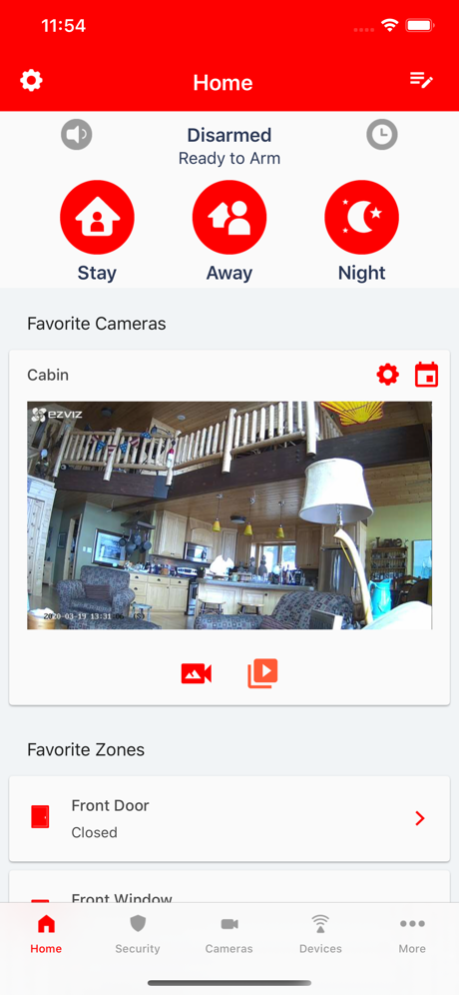


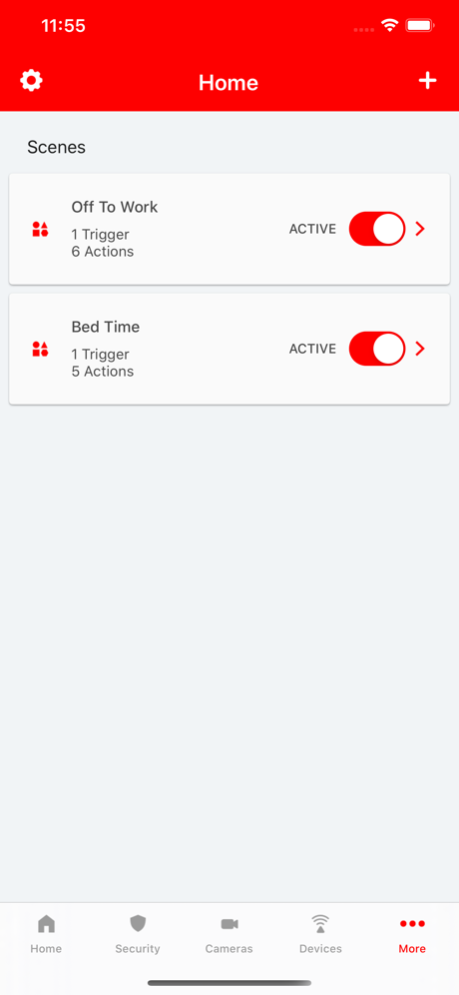
Titanium drive the smart home to the palm of your hand. We protect you through advanced security solutions and provide home automation technology.
Jun 1, 2023
Version 3.20.1
- Made modifications to camera enrollment flows to better support different models.
- Resolved an issue that prevented the password strength meter from working when adding a user.
- Updated some verbiage around certain camera motion detection area configurations.
- Added missing localizations.
- Resolved an issue where unenrolling a zone would temporarily remove all zones associated with that sensor regardless of zone input index.
- Resolved user device permissions UI issues.
- Resolved issues with the arm silent / arm audibly modifier.
- Resolved issues that caused various lists to be incorrectly sorted.
- Resolved camera related issues for certain models.
About Titanium Smart Home
The company that develops Titanium Smart Home is Titanium, LLC. The latest version released by its developer is 3.20.1.
To install Titanium Smart Home on your iOS device, just click the green Continue To App button above to start the installation process. The app is listed on our website since 2023-06-01 and was downloaded 0 times. We have already checked if the download link is safe, however for your own protection we recommend that you scan the downloaded app with your antivirus. Your antivirus may detect the Titanium Smart Home as malware if the download link is broken.
How to install Titanium Smart Home on your iOS device:
- Click on the Continue To App button on our website. This will redirect you to the App Store.
- Once the Titanium Smart Home is shown in the iTunes listing of your iOS device, you can start its download and installation. Tap on the GET button to the right of the app to start downloading it.
- If you are not logged-in the iOS appstore app, you'll be prompted for your your Apple ID and/or password.
- After Titanium Smart Home is downloaded, you'll see an INSTALL button to the right. Tap on it to start the actual installation of the iOS app.
- Once installation is finished you can tap on the OPEN button to start it. Its icon will also be added to your device home screen.
Program Details
System requirements
Download information
Pricing
Version History
version 3.20.1
posted on 2023-06-01
Jun 1, 2023
Version 3.20.1
- Made modifications to camera enrollment flows to better support different models.
- Resolved an issue that prevented the password strength meter from working when adding a user.
- Updated some verbiage around certain camera motion detection area configurations.
- Added missing localizations.
- Resolved an issue where unenrolling a zone would temporarily remove all zones associated with that sensor regardless of zone input index.
- Resolved user device permissions UI issues.
- Resolved issues with the arm silent / arm audibly modifier.
- Resolved issues that caused various lists to be incorrectly sorted.
- Resolved camera related issues for certain models.
version 3.20.0
posted on 2023-04-20
Apr 20, 2023
Version 3.20.0
- Resolved some issues with the arm silent / arm audibly modifier.
- Resolved issues that caused various lists to be incorrectly sorted.
- Fixed an issue that prevented the app from ingesting some camera names at provisioning time.
version 3.19.0
posted on 2023-04-05
Apr 5, 2023
Version 3.19.0
- Fixed demo mode which was only showing cameras.
- "Demo" mode button is now disabled when there is text in the password field
- Network call improvements.
version 3.18.0
posted on 2023-03-24
Mar 24, 2023
Version 3.18.0
- Removed un-utilzied contact info fields.
- Peripheral display support added.
- Peripheral management support added (when allowed).
- Resolved an issue that could cause camera info to not be properly populated.
- Resolved an issue that resulted in notification tokens not being registered on the first launch correctly.
- Improved user management, especially "by system".
- The user will now be prompted to double check changes after attempting a WiFi network reconfiguration on a camera to verify desired settings.
- Post WiFi reconfiguration on a camera, the application will kick off an automatic configuration migration attempt to sync the camera with previously known settings.
version 3.12.0
posted on 2022-07-21
Jul 21, 2022 Version 3.12.0
- Improved display performance/consistency/reliability for Cancel/Confirm.
- Fixed a bug where switching between dates on the camera cells wouldn't transition the slider thumbnail icon.
- The video cell slider should now default to showing the most recent clips first when looking at "Today".
- Fixed a bug where account holders couldn't delete other account/admin level users.
- Updated some camera provisioning screens.
- Removed the floating chat icon from non-primary screens.
- Added support for new tilt sensor.
- Added motion detection region support.
version 3.9.0
posted on 2022-04-26
Apr 26, 2022 Version 3.9.0
- Improved the manual input flow for camera registration and added support for new cameras.
- Added an in-app notification settings link in the app's notification system settings.
- Improved new camera online/offline status handling.
- Improved Concord 4 support.
- User permissions are no longer allowed to be modifiable while a system is armed.
- The video event player should now allow you to go back to the last event at the end of the list instead of the previous to the last event.
- Resolved an issue where a user would be incorrectly informed that they don't have permission to perform an alarm arming action in certain scenarios when they actually do.
version 3.8.0
posted on 2022-04-03
Apr 3, 2022 Version 3.8.0
- Added an SD-Card check message at the beginning of camera provisioning.
- Fixed a branding issue when switching between different accounts where one account has branding disabled.
- Fixed an issue where an account that doesn't have devices but is configured for cameras, doesn't see the camera controls without a forced restart.
- The app should now prevent your phone from "falling asleep" during camera provisioning.
- Updated branding code to use provided color as the primary.
- Improved camera list refresh behavior when a new camera is provisioned.
- Fixed a bug on certain forms that could cause the app to crash.
- Improved camera notification thumbnail handling.
- The camera firmware screen should no longer show the Update Firmware button once a firmware update is in progress (on supported cameras).
- Added support for new cameras.
version 3.7.4
posted on 2022-02-15
Feb 15, 2022 Version 3.7.4
- Fixed a color issue that was making it impossible (or close to it) to read thermostat temperature.
version 3.7.3
posted on 2022-01-28
Jan 28, 2022 Version 3.7.3
- Fixed a bug that prevented BAT-Fire from seeing the event log.
- Fixed a bug that prevented certain legacy security panels from displaying in the app.
- Fixed a bug that resulted in an error message when provisioning a new camera model.
- Fixed a bug that caused a crash during device naming procedures.
version 3.7.2
posted on 2022-01-05
Jan 5, 2022 Version 3.7.2
- Fixed some crashing bugs.
- Added a firmware check following provisioning of cameras. Provided there is an available firmware update, the app will kick off the update and prompt the user.
- Added support for new camera models.
